Tiny Planes Create Guide: Build Your Dream Airport Fast
Our Tiny Planes create guide covers curved runways, jet bridge gates, custom part building, Freebuild, and a 150+ real aircraft fleet across four islands.
Jump to
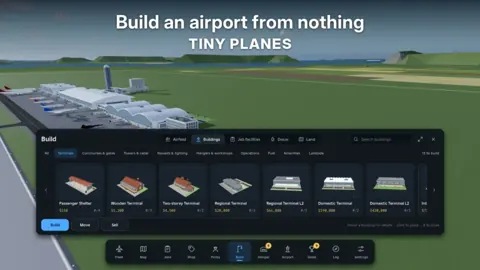
What the Build Update Lets You Make
The Build Update gives this Roblox airport sim a full set of construction tools for shaping your own airfield. This Tiny Planes create guide covers every building tool, the passes that expand them, and the free codes that pay for it all. Here's everything you can put on your island and how to fund it.
XeroInteractive launched Tiny Planes on Roblox on October 15, 2026, and the building overhaul is now the headline feature. Here's what you can lay down on your island:
- Curved taxiways, roads, and runways drawn at any angle. You aren't locked to straight lines or a fixed grid layout for your airfield's backbone.
- Gates with self-fitting jet bridges. Place a gate and the jet bridge adjusts itself to the aircraft, so you don't have to align it by hand.
- Ground movement control. You decide how your planes taxi, take off, and land, which matters once your traffic gets busy.
Sketch out where your runway goes before you start drawing taxiways and gates.
Building Custom Structures
Beyond the airfield layout, you can build almost anything from basic parts. Each part can be resized, rotated, and painted, which is enough to put together:
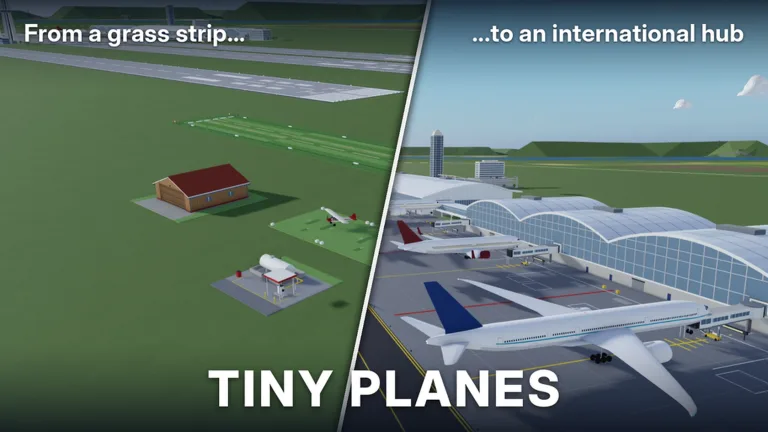 Image: Roblox / XeroInteractive
- Hangars for your fleet
- Control towers
- Runway and apron lighting
- Terminals, decorations, or anything else you can picture
Start with a simple box hangar near your stands, then add detail once your routes are earning steady cash. Function first, looks second.
Passes That Expand Your Creative Options
You can build without spending Robux, but several game passes directly change what you can make. These are the ones that matter for creators:
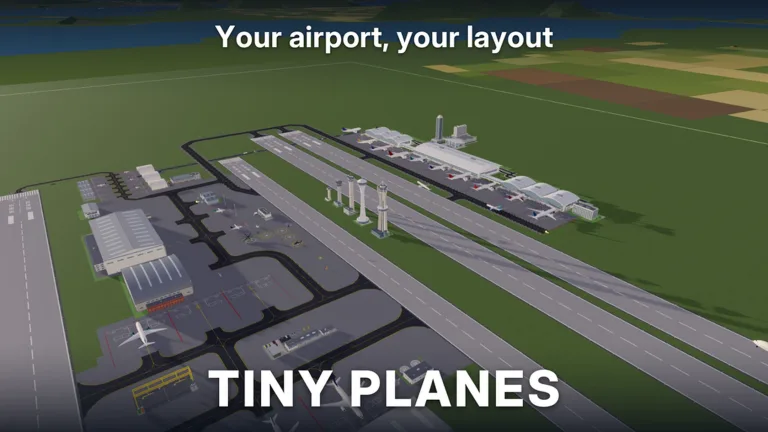 Image: Roblox / XeroInteractive
| Game Pass | Price | What It Does |
|---|---|---|
| Freebuild | 99 Robux | Removes the grid and collisions for building; runways, taxiways, and stands still collide so aircraft don't clip |
| Creative Bundle | 199 Robux | Free Build, Colour Wheel, and Paint Finishes |
| RGB Colours | 99 Robux | Pick any color for aircraft liveries |
| Materials | 49 Robux | Unlocks material selection for aircraft liveries |
| Upgrade Bundle | 899 Robux | Every upgrade pass at a discounted price |
If decorating is your main goal, grab the Creative Bundle instead of Freebuild on its own. For 100 Robux more you also get the Colour Wheel and Paint Finishes.
Freebuild takes away the grid and collisions, so you can overlap parts and place them freely for tighter, more realistic structures. Your flight infrastructure still keeps its collisions, so your planes stay safe.
Filling Your Airport With Planes
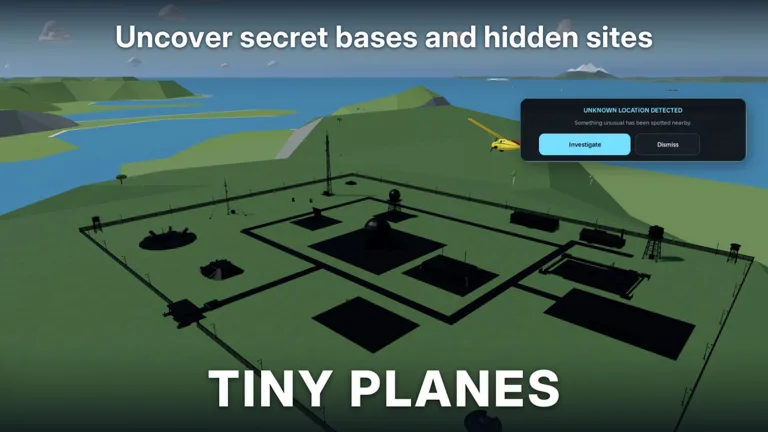
An airport needs traffic. Tiny Planes has over 150 real aircraft to collect, and you send them on routes across four islands. You can also hop into any plane and fly it yourself, take on disaster rescues, restore barn finds, and hunt for hidden locations.
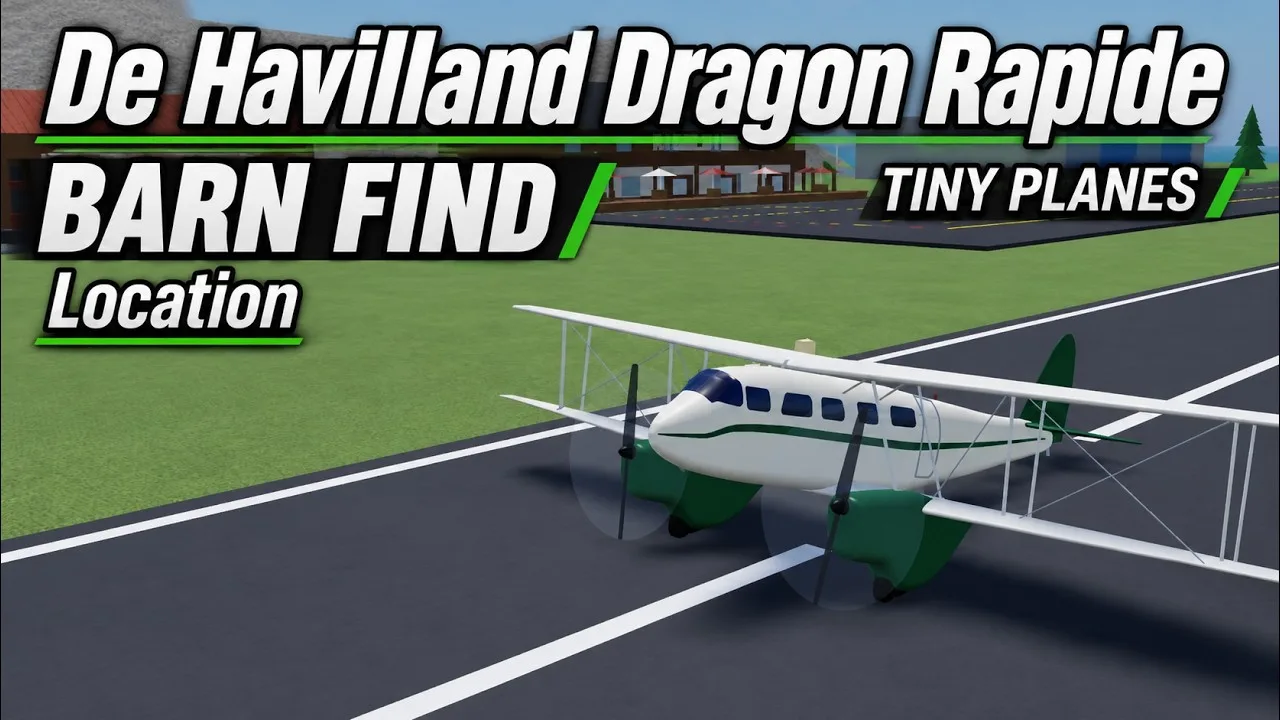
The roster runs from aerobatic stars like the Edge 540 and Su-26 to legends like the SR-71 Blackbird, X-15, and Spitfire, plus helicopters such as the UH-60 Black Hawk and Mi-26. Size your stands and hangars with your fleet in mind. A Mi-26 or H-4 Hercules needs far more room than an S-2A Special.
Free Codes to Fund Your Build
Building and fleet growth both eat cash, so redeem these codes before you start:
| Code | Rewards |
|---|---|
| TINYBUILD3RS | 60K Cash |
| T1NYPL4N3S300K | 300,000 Cash, 1 Drone Case, Legendary Pilot |
| N0TS0T1NYPLANE3 | 5,000,000 Cash, 5 Livery Cases, 5 Drone Cases, 5 Shop Restock Tokens, 5 Recruitment Tokens, Legendary Pilot |
| 1KLIKES | Cash (scales with your level), 1 Livery Case, 2 Drone Cases, 4 Recruitment Tokens, 1 Legendary Pilot |
To redeem them:
- Click the Star icon at the top of the screen.
- Type a code into the Enter a code box.
- Hit Redeem.
Codes are case sensitive, so type them exactly as shown. Since the 1KLIKES cash reward scales with your level, save it until you've leveled up a bit to get a bigger payout.
Building With Friends
Multiplayer servers hold up to 5 players, and each player gets their own island. You can fly over to a friend's airport to check out their layout and team up on rescue missions. Visiting other islands is also a quick way to pick up layout ideas for your own airfield.
What's Coming Next
The developers' roadmap, in no particular order, includes:
- Realistic flight handling
- New aircraft every week, voted on by the community
- Airport reputation and airport visitors
- Aircraft performance upgrades
- Flight challenges and seasonal events
- More regions
- Moving ships and carriers
Airport reputation and visitors are both on the list, so a well-built terminal area could matter more down the line. Leave space around your gates for expansion. You can jump into the game and start building on the official Tiny Planes Roblox page.
FAQ
Do I need Freebuild to make custom structures?
No. Resizing, rotating, and painting parts is part of the Build Update for everyone. Freebuild removes the grid and collisions so you can place parts with more freedom.
Can my friends build on my island?
Each player in a multiplayer server manages their own island. Friends can fly to your airport and join you on rescues.
How do I report a building bug?
Open Settings > Feedback in-game to send bug reports to the developers.
Continue with
 Tiny Planes Disaster Rescues: Careers, Jobs and Team TipsSee how Tiny Planes disaster rescues work, from tornadoes and wildfires to the four emergency careers, plus tips for teaming up with friends on rescues.
More in Features
Tiny Planes Extreme Weather Update: Disasters and Careers
The Tiny Planes extreme weather update brought tornadoes, wildfires, 4 disaster careers and 28 new aircraft. Discover how emergency jobs and ranks work.
Tiny Planes Features Guide: Build, Fly, and Grow Your Fleet
Our Tiny Planes features guide covers airport building, 150+ real aircraft, dispatch routes, autopilot, codes, and game passes. Build your dream airfield.
Tiny Planes Fun Game Mode Guide: Build, Fly, and Rescue
Discover the Tiny Planes fun game mode options on Roblox: build airfields, fly 150+ real aircraft, run disaster rescues, and team up with friends today.
Tiny Planes Multiplayer Guide: Islands, Visits and Rescues
Discover how Tiny Planes multiplayer works: up to 5 players, one island each, flights to friends' airports, and team rescues. Get set up and fly together.
Continue exploring
Tiny Planes Roblox Guide: Codes, Controls and Updates
Learn Tiny Planes Roblox basics: build your airfield, fly with the right controls, redeem active codes, and see the new Build and Extreme Weather updates.
Tiny Planes Airport Designs: Build a Smarter Airfield
Plan better Tiny Planes airport designs with layout tips for runways, terminals, hangars and fuel stations, plus build tools, Freebuild and codes for cash.
Join the community
Official channels for news, updates and player help: