Tiny Planes Guide: Build Your Airport and Earn Cash Fast
Our Tiny Planes guide covers airport building, flight controls, dispatch routes, pilots, codes and disasters on Roblox. Build a profitable airfield fast.
Jump to
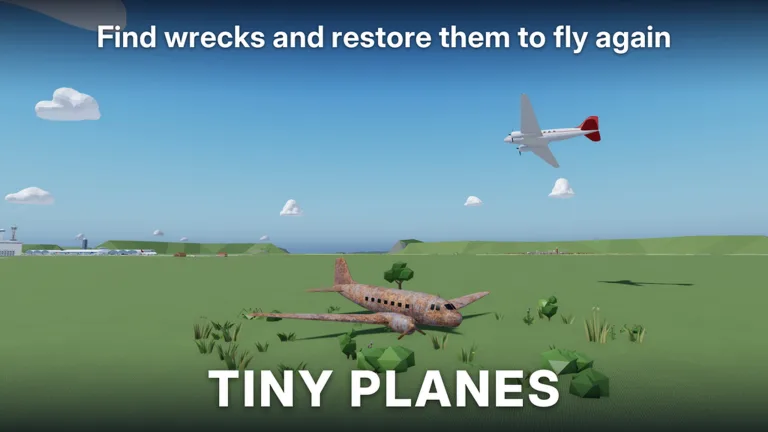
Tiny Planes starts you on a patch of grass with one small plane and gives you the chance to grow it into a busy, multi-runway airfield. Early choices decide how fast your cash grows: what you build first, which routes you dispatch, and when you fly yourself. This Tiny Planes guide covers the opening tutorial, flight controls, money-making routes, airport layout and the latest codes, so you can skip the fumbling and go straight to running an airline.
What Tiny Planes Is and How a Session Works
Tiny Planes is an airfield tycoon on Roblox from XeroInteractive. You design an airport, buy aircraft, hire pilots and send them on routes between islands. You can also take the controls of any plane yourself. A few key facts about the experience:
- It's listed in the Simulation genre on Roblox.
- Servers hold up to 5 players, and each player gets their own island.
- The fleet roster includes more than 150 real aircraft, from gliders and Cessnas to helicopters, regional jets and an SR-71 Blackbird.
- Routes connect four islands, and you can land at friends' airports in multiplayer.
You can find the game on its official Roblox experience page. If you run into bugs, report them in-game under Settings > Feedback.
Getting Through the Tutorial
The opening walks you through a basic grass airstrip. Follow the yellow placement markers. They show exactly where each piece goes.
- Open Build and lay a grass runway.
- Place a tie-down stand where your plane will park.
- Connect the stand and runway with a grass taxiway.
- Visit the Shop and claim your free starter plane.
- Go to Pilots and recruit your first pilot.
- Assign the pilot, then hit Dispatch and pick a destination.
Your early flights can run on autopilot, which handles the turns and the descent for you, so you don't have to fly by hand.
Flight Controls
You can leave most flights to autopilot, but knowing the keys helps whenever you take a job yourself.
| Key | Action |
|---|---|
| Shift | Throttle up |
| Ctrl | Throttle down |
| W / S | Nose up / down |
| A / D | Roll left / right |
| Space | Brakes |
| Mouse | Look around |
| L | Landing gear |
| T | Autopilot (pick a field) |
| C | Show controls |
| V | Switch camera |
| H | Hide UI |
| M | Open map |
Landing tip: cut the throttle with Ctrl first, then ease the nose down with S. The roll is very sensitive, so tap A and D lightly or you'll bank much harder than you intended. If you botch an approach, press T and let autopilot bring the plane in.
Making Money: Dispatch, Pilots and Jobs
Dispatched flights are your main income source. Every aircraft needs a pilot assigned before it can leave.
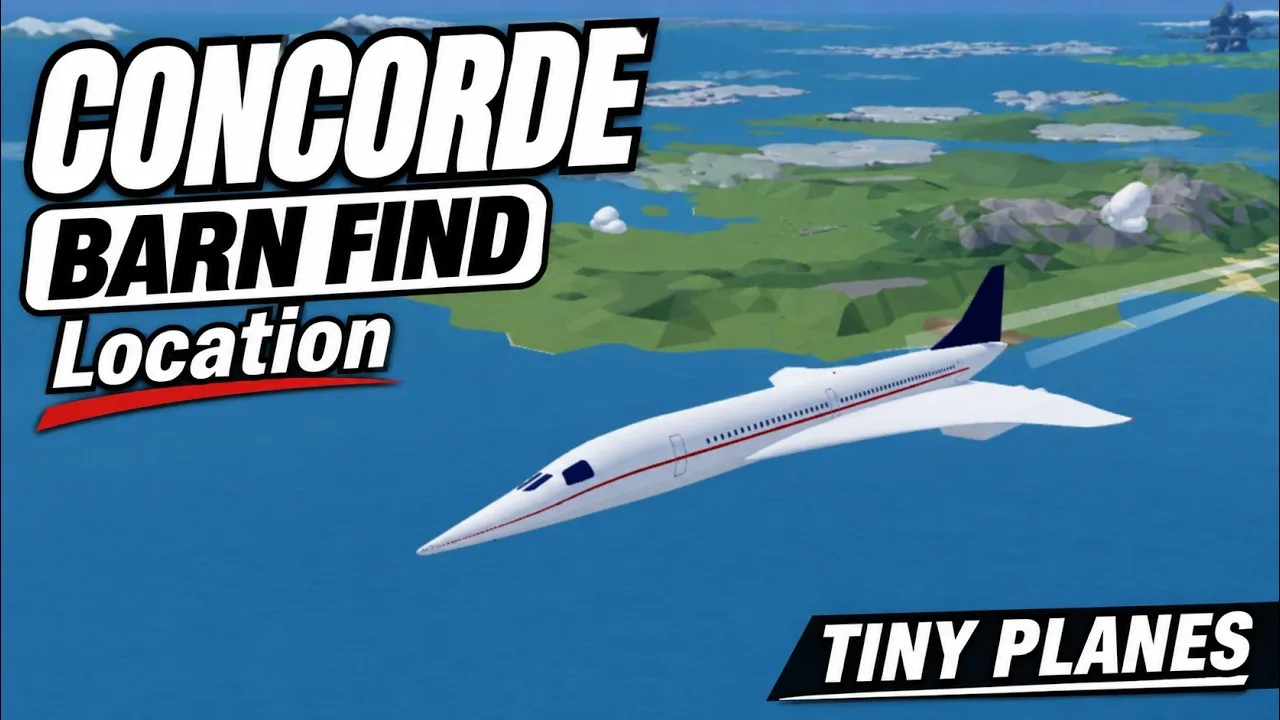
- Pick the highest-paying destinations. The dispatch screen shows each route's payout, so compare them before you send a plane out. Far routes take a while; one long flight can run 1 hour and 16 minutes.
- Use Repeat Route. Once a plane has a profitable run, set it to repeat so it keeps earning while you build.
- Set lights to Auto. Nav and landing lights can be set to Auto for all aircraft, which saves you a click on every dispatch.
- Recruit better pilots. Pilots come in rarities such as Common, Rare and Legendary. You can recruit them with cash or Recruitment Tokens, or train them at the pilot school.
- Fly the job board yourself. Short passenger hops pay quickly. For example, flying one passenger to Linmore pays 400. If a job is far away, hand it to the crew and let autopilot fly it.
- Check the Shop often. Stock refreshes every 15 minutes, so the aircraft you want may show up on the next restock.
- Claim your rewards. The daily reward gives free money and tokens, and the playtime reward adds extra cash.
Building Out Your Airport
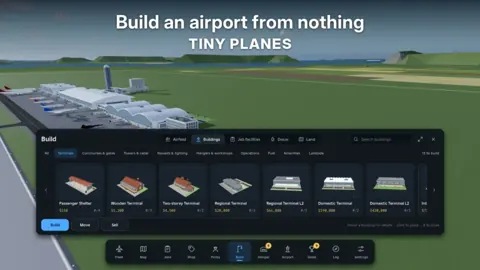
Once your first planes are flying, these are the pieces to add as you expand the grass strip:
- More stands and taxiways. Each new plane needs somewhere to park, and stands have a facing direction, so rotate them before you place them.
- Paved surfaces. Some buildings, like the cafe, require a paved plot. Lay concrete flooring first, then place them on it.
- Core facilities. Add a fuel station, hangar, cargo shed, wind sock and air traffic control tower. The tower calls traffic once it's built.
- Passenger buildings. Terminals, cafes, car parking and extras like a club fill out the landside.
- A second runway. Space it away from the first instead of placing them side by side.
If your plot gets cramped, you can expand your land. Buildings can be moved after you place them, and you can sell pieces that don't fit your layout.
Tiny Planes Codes
To redeem codes, click the Star icon at the top of the screen, type the code into the "Enter a code" box and hit Redeem. Codes are case-sensitive, and the number swaps (1 for I, 0 for O, 4 for A, 3 for E) matter.
| Code | Rewards |
|---|---|
| N0TS0T1NYPLANE3 | 5,000,000 Cash, 5 Livery Cases, 5 Drone Cases, 5 Shop Restock Tokens, 5 Recruitment Tokens, Legendary Pilot |
| T1NYPL4N3S300K | 300,000 Cash, 1 Drone Case, Legendary Pilot |
| TINYBUILD3RS | 60K Cash |
| 1KLIKES | Cash (scales with your level), 1 Livery Case, 2 Drone Cases, 4 Recruitment Tokens, 1 Legendary Pilot |
Redeem your codes as soon as you finish or skip the tutorial. New codes appear on the official XeroInteractive Discord server.
Recent Updates and Multiplayer
The game changes quickly, so here is what the latest developer posts added:
- Multiplayer (October 29, 2026): Arrived a day early. You can explore the islands with friends or use their airports as landing sites.
- Extreme Weather (November 7, 2026): Tornadoes, hurricanes, earthquakes, tsunamis, wildfires, volcanic eruptions and meteor strikes now hit the islands. Emergency jobs pay big and come with exclusive rewards. The update also added four careers (Firefighting, Search & Rescue, Evacuation & Relief, and Storm Chasing & Recon), 28 new aircraft and a rework of every job. Banner towing, crop spraying, express runs and skydive drops are now distinct jobs.
- Building Rework (event from November 11, 2026): You can now draw curved taxiways, roads and paths at any angle. Runways can be any length and can cross. Aprons stretch as single pieces. Terminal piers snap together with gates on both sides. One-way taxiways, runway roles and hold points control traffic. Copy/paste, undo, a snap toggle and layout save slots are also included, and existing builds stay intact.
Game Passes Worth Knowing
Everything above is free to play, but these passes change how fast you progress:
| Pass | Price | Effect |
|---|---|---|
| 2x Cash | 299 Robux | Doubles all cash sources |
| Infinite simultaneous flights | 1000 Robux | Infinite simultaneous flights |
| Freebuild | 99 Robux | No grid or collisions (runways, taxiways and stands still collide) |
| Auto-Maintenence+ | 299 Robux | Auto-maintains aircraft with quicker maintenance |
| Boost Bundle | 749 Robux | 2x Cash, Bigger Fleet, Auto-Maintenance+, Pilot Academy |
| Upgrade Bundle | 899 Robux | All upgrade passes at a discount |
Continue with
 Tiny Planes How to Play: Beginner Guide to Your AirfieldLearn Tiny Planes how to play on Roblox: build your first airfield, hire pilots, dispatch routes, fly with autopilot, and redeem codes for fast early cash.
More in Guide
Tiny Planes Controls: Every Key, Autopilot & Flying Tips
Learn the Tiny Planes controls for Roblox: throttle, pitch, roll, brakes, autopilot and map keys, plus dispatch and build mode tips to land every flight.
Tiny Planes Get Cash Fast: Codes, Routes & Money Tips
Tiny Planes get cash fast guide: redeem working codes, dispatch long routes, hire pilots and claim daily rewards to fund your dream airport on Roblox.
Tiny Planes Levels Guide: How to Level Your Airport Fast
Tiny Planes levels explained: which aircraft wait at airport levels 7 and 9, early goals, codes, autopilot tips and passes that help grow your airfield.
Tiny Planes Routes Guide: Dispatch, Autopilot & Fast Cash
Master Tiny Planes routes on Roblox: dispatch planes, use autopilot, repeat flights, and grow your fleet across four islands to earn cash faster today.
Continue exploring
Join the community
Official channels for news, updates and player help: