
Tiny Planes Custom Hangars: Build Guide and Placement Tips
See how Tiny Planes custom hangars work after the Build Update: resize, rotate and paint parts, plan your airfield layout, and fund it with cash codes.
Jump to
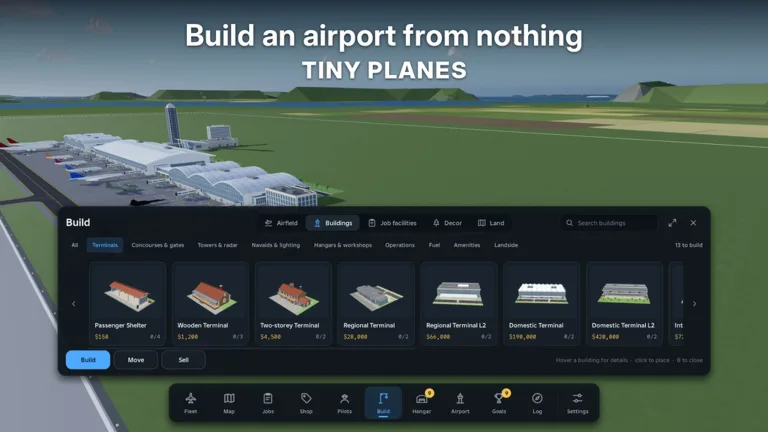
How Custom Hangars Work in the Build Update
A bare runway gets your first flights moving, but it's the buildings around it that turn a strip of asphalt into a real airport. With the Build Update, Tiny Planes custom hangars are something you design yourself, piece by piece. XeroInteractive's island airfield tycoon lets you resize, rotate, and paint custom parts, then combine them into hangars, control towers, lights, or anything else you can picture.
The same update reworked the ground layout too. You can draw curved taxiways, roads, and runways at any angle, add gates whose jet bridges fit each plane automatically, and decide how your aircraft taxi, take off, and land. That matters for hangar design, because your hangar has to sit comfortably inside a taxi flow that you shaped yourself.
Ready-Made Hangars vs. Fully Custom Builds
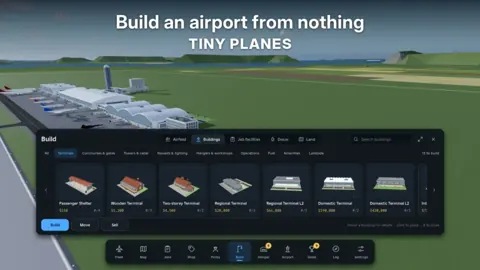
You don't have to start from scratch. The build menu includes a standard hangar alongside terminals, cargo sheds, fuel stations, cafes, wind socks, and surface car parking. Drop one in early so your fleet has a home, then replace it or dress it up with custom parts once you have cash to spare.
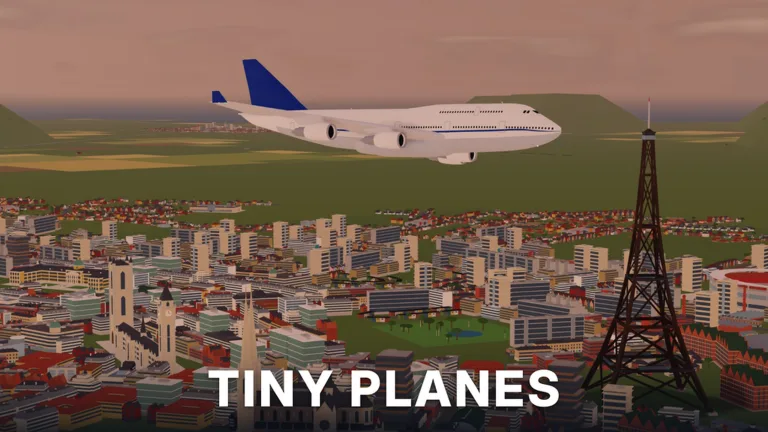 Image: Roblox / XeroInteractive
When you're ready to go custom:
- Resize parts to set the footprint and roof height. A hangar built for a small single-prop looks silly around an SR-71 Blackbird or a Mi-26.
- Rotate pieces to angle walls, roof sections, or door frames so the opening lines up with your taxiway.
- Paint everything to match a color scheme across your terminal, tower, and hangar row.
- Add extras like lights and a matching control tower, built from the same part system.
Placement Tips for Your Airfield
Where a hangar goes matters as much as how it looks. Keep these points in mind:
 Image: Roblox / XeroInteractive
- Pave first. Lay concrete flooring before placing buildings. Some structures ask for a paved plot, and placing on grass can trigger an overlap warning.
- Use the edges. Tucking the hangar along the edge of your plot keeps the central apron free for taxiing aircraft and extra runways.
- Group your services. Keep the fuel station close to the hangar and terminal, with the cargo shed nearby, so the airport reads as one cohesive operation instead of scattered pieces.
- Use Move, not Sell. The build menu has a move option, so you can shift a misplaced hangar instead of tearing it down. Save selling for pieces you truly don't want, like a parking lot that ends up looking messy.
- Build while flights run. Long dispatches can take over an hour, so queue your most profitable routes first, then redesign the airport while the planes are in the air.
Game Passes That Change Building
Two passes on the Tiny Planes Roblox page directly affect custom hangar work:
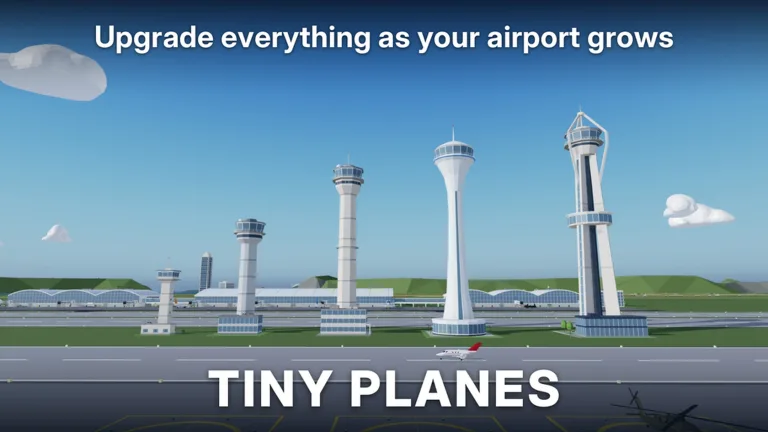 Image: Roblox / XeroInteractive
| Pass | Price | What It Does for Builders |
|---|---|---|
| Freebuild | 99 Robux | Removes the grid and collisions for structures. Runways, taxiways, and stands still collide so aircraft don't clip. |
| Creative Bundle | 199 Robux | Free Build, Colour Wheel, and Paint Finishes |
Freebuild is the big one for detailed hangars, because you can overlap and fine-position parts without snapping to the grid. The Creative Bundle adds full color control and paint finishes, which helps if you want a polished, themed airport rather than default colors. If you're also thinking about livery customization, RGB Colours (99 Robux) and Materials (49 Robux) cover aircraft paint jobs separately.
Funding Your Build With Codes
Custom builds eat cash, and codes give you a solid head start. Click the Star icon at the top of the screen, type the code exactly as shown (they're case sensitive), and hit Redeem. Finish or skip the tutorial first.
| Code | Rewards |
|---|---|
| N0TS0T1NYPLANE3 | 5,000,000 Cash, 5 Livery Cases, 5 Drone Cases, 5 Shop Restock Tokens, 5 Recruitment Tokens, Legendary Pilot |
| T1NYPL4N3S300K | 300,000 Cash, 1 Drone Case, Legendary Pilot |
| TINYBUILD3RS | 60K Cash |
| 1KLIKES | Cash (scales with your level), 1 Livery Case, 2 Drone Cases, 4 Recruitment Tokens, 1 Legendary Pilot |
Redeem N0TS0T1NYPLANE3 first. Five million in cash is enough to pave a large area, place a hangar, terminal, fuel station, and cargo shed, and still have room to experiment. Claim your daily and playtime rewards every session too, since they add up while you're saving for bigger projects.
Show Off Your Hangar in Multiplayer
Servers hold up to 5 players, and each player runs their own island. Friends can fly over to your airport, so a well-built hangar row is something people will actually see up close. Fly your own planes in to admire the layout from the cockpit, or team up on disaster rescues between building sessions.
FAQ
Can I build a custom hangar without buying a pass?
Yes. Resizing, rotating, and painting custom parts is part of the Build Update. Freebuild only removes the grid and structure collisions, which makes detailed placement easier.
Will Freebuild let my planes clip through buildings on the runway?
No. Runways, taxiways, and stands still collide with Freebuild active, so your aircraft stay safe while your structures can overlap freely.
Can I move a hangar after placing it?
Yes. Open build mode and use the Move option to reposition it instead of selling and rebuying.
Continue with
 Tiny Planes Runways: How to Build and Lay Out Your AirfieldLearn how Tiny Planes runways work after the Build Update: draw them at any angle, set runway roles and hold points, and lay out a busier airfield fast.
More in Airports
Tiny Planes Airport Designs: Build a Smarter Airfield
Plan better Tiny Planes airport designs with layout tips for runways, terminals, hangars and fuel stations, plus build tools, Freebuild and codes for cash.
Tiny Planes Airports Guide: Build a Money-Making Airfield
This Tiny Planes airports guide covers runways, stands, terminals, the Build Mode rework, and dispatch tips to grow your airfield and fleet fast on Roblox.
Tiny Planes Taxiways Guide: Build Curved Routes That Flow
Learn how Tiny Planes taxiways work after the Build Update: draw curved paths, set one-way routes and hold points, and keep your airport traffic moving.
Tiny Planes Terminals: Build Update Gates, Piers & Tips
Tiny Planes terminals got a major boost in the Build Update. Learn how piers, gates and jet bridges work, plus what to build around your new terminal.
Join the community
Official channels for news, updates and player help: