Tiny Planes Controls: Every Key, Autopilot & Flying Tips
Learn the Tiny Planes controls for Roblox: throttle, pitch, roll, brakes, autopilot and map keys, plus dispatch and build mode tips to land every flight.
Jump to
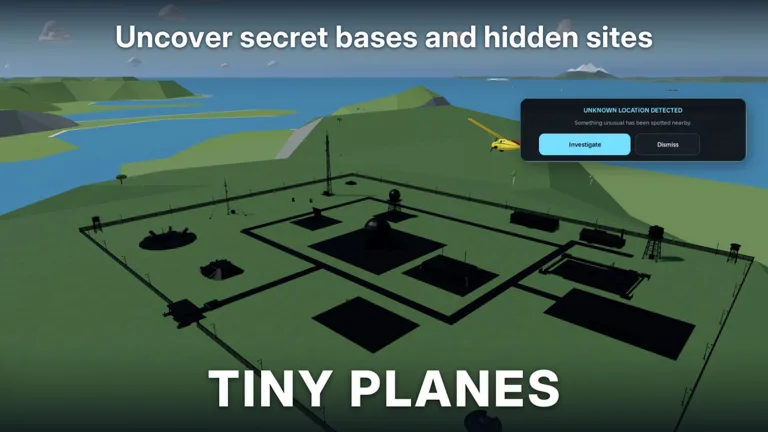
Building an airport is only half of the game. Sooner or later you'll hop into a cockpit, and the first manual flight goes much better when you already know the Tiny Planes controls. Any plane in your fleet can be flown by hand, and the game also lets you hand the stick to an autopilot. This guide covers the flight keys, the autopilot, dispatching, and the build tools.
Flight Controls on Keyboard and Mouse
When you take a plane up yourself on PC, the game shows a short control prompt. These are the bindings:
| Key | Action |
|---|---|
| Shift | Throttle up |
| Ctrl | Throttle down |
| W / S | Nose up and down (pitch) |
| A / D | Roll left and right |
| Space | Brakes |
| Right mouse | Look around |
| L | Legs (landing gear) |
| T | Autopilot, then pick a field |
| C | Show controls |
| V | Switch camera |
| H | Hide the interface |
| M | Open the map |
If you forget a binding in the air, press C to bring the list back up. M is the other key to remember early. Open the map whenever you lose track of where you are.
Tips for Flying by Hand
A few habits make manual flights much smoother:
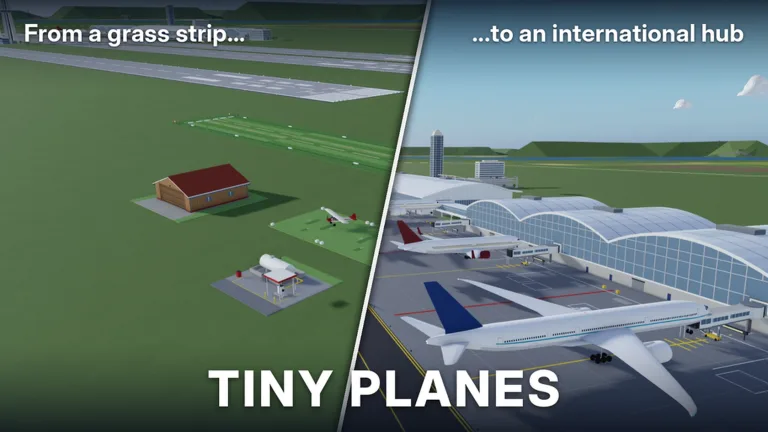 Image: Roblox / XeroInteractive
- Line up early. Make your turns well before the runway, then descend. Planes can't drop straight onto a field. They need to turn first and then come down.
- Manage speed with Shift and Ctrl. Bring the throttle down on approach, then use Space once your wheels are on the ground.
- Check your gear with L before you touch down.
- Use V to change the camera if you can't judge your height above the runway.
A botched landing usually means you have to fly the job again. If you're still learning, switch to autopilot for paid jobs and practice manual landings when nothing is at stake.
Using the Autopilot
The autopilot helps a lot if flight games aren't your thing. Press T, or choose the autopilot option in the flight menu, then pick a destination field. Point the mouse toward the target, and the plane will steer there, lower itself on approach, and land. Once the job is done, you can send it back to your home airport the same way.
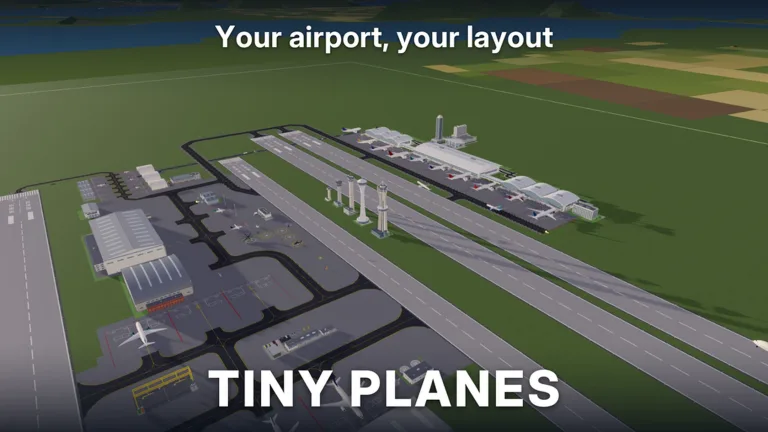 Image: Roblox / XeroInteractive
Short trips go fast, and early jobs pay well: one starter delivery pays 4,000 cash. The developers list "realistic flight handling" on the game's roadmap, so expect manual flying to change in future updates.
Dispatching Planes Without Flying
You don't have to fly every route. The tutorial walks you through the basic loop:
- Build a runway and a stand by following the yellow markers.
- Open the Shop and claim the free starter plane.
- Recruit a pilot and assign them to the aircraft.
- Hit Dispatch, choose a job, and press Fly.
The dispatch screen lets you set lighting. You can turn nav lights and landing lights on or off, or set everything to auto. The Repeat Route option keeps a plane cycling the same job without any input from you. Set it on your planes while you work on your airfield. Pilots come in rarities such as common and rare, and the shop restocks aircraft every 15 minutes.
Build Mode Controls
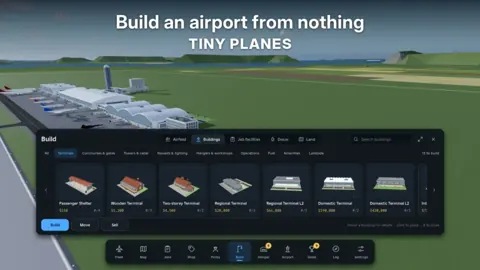
The Build Update lets you draw curved taxiways, roads, and runways at any angle, add gates with self-fitting jet bridges, and control how your planes taxi, take off, and land. You can also resize, rotate, and paint custom parts to build hangars, towers, and lights.
The Building Rework event, posted for November 11 to 28, 2026, announces an even bigger Build Mode update coming to the game, with the actual release date still TBC. It promises:
- Click-and-drag taxiways, roads, and paths with smooth curves, plus junctions and runway entries that connect on their own
- Runways of any length and angle that can cross each other, and aprons that stretch across the field as single pieces
- One-way taxiways, runway roles, and hold points to control traffic
- Select mode with copy and paste, undo, and a snap toggle
- Road-free versions of every building, plus save slots for different layouts
For full freedom, the Freebuild pass (99 Robux) removes the grid and collisions. Runways, taxiways, and stands still collide, so your aircraft won't run into each other. The Creative Bundle (199 Robux) includes Freebuild along with the Colour Wheel and Paint Finishes.
Menus Worth Knowing
- Star icon (top of screen): Enter redeem codes in the "Enter a code" box and press Redeem.
- Settings > Feedback: Report bugs, including control problems.
- Daily and playtime rewards: Claim these whenever you log in for free cash.
Multiplayer servers hold up to 5 players, and each player gets their own island. Use the map to fly to a friend's airport, land there, and team up on rescue jobs. You can jump in from the official Tiny Planes page on Roblox.
FAQ
Can you fly every plane yourself?
Yes. Any aircraft in your fleet can be flown manually, and the same planes can also be sent on routes.
What does the T key do?
T turns on the autopilot. After pressing it, pick a field, and the plane will fly there and land on its own.
How do I make a plane fly the same route over and over?
When you dispatch it, select Repeat Route. The plane will keep running that job until you stop it.
Continue with
 Tiny Planes Get Cash Fast: Codes, Routes & Money TipsTiny Planes get cash fast guide: redeem working codes, dispatch long routes, hire pilots and claim daily rewards to fund your dream airport on Roblox.
More in Guide
Tiny Planes Guide: Build Your Airport and Earn Cash Fast
Our Tiny Planes guide covers airport building, flight controls, dispatch routes, pilots, codes and disasters on Roblox. Build a profitable airfield fast.
Tiny Planes How to Play: Beginner Guide to Your Airfield
Learn Tiny Planes how to play on Roblox: build your first airfield, hire pilots, dispatch routes, fly with autopilot, and redeem codes for fast early cash.
Tiny Planes Levels Guide: How to Level Your Airport Fast
Tiny Planes levels explained: which aircraft wait at airport levels 7 and 9, early goals, codes, autopilot tips and passes that help grow your airfield.
Tiny Planes Routes Guide: Dispatch, Autopilot & Fast Cash
Master Tiny Planes routes on Roblox: dispatch planes, use autopilot, repeat flights, and grow your fleet across four islands to earn cash faster today.
Continue exploring
Tiny Planes Custom Hangars: Build Guide and Placement Tips
See how Tiny Planes custom hangars work after the Build Update: resize, rotate and paint parts, plan your airfield layout, and fund it with cash codes.
Tiny Planes Runways: How to Build and Lay Out Your Airfield
Learn how Tiny Planes runways work after the Build Update: draw them at any angle, set runway roles and hold points, and lay out a busier airfield fast.
Join the community
Official channels for news, updates and player help: