Tiny Planes Airports Guide: Build a Money-Making Airfield
This Tiny Planes airports guide covers runways, stands, terminals, the Build Mode rework, and dispatch tips to grow your airfield and fleet fast on Roblox.
Jump to
How Airports Work in Tiny Planes
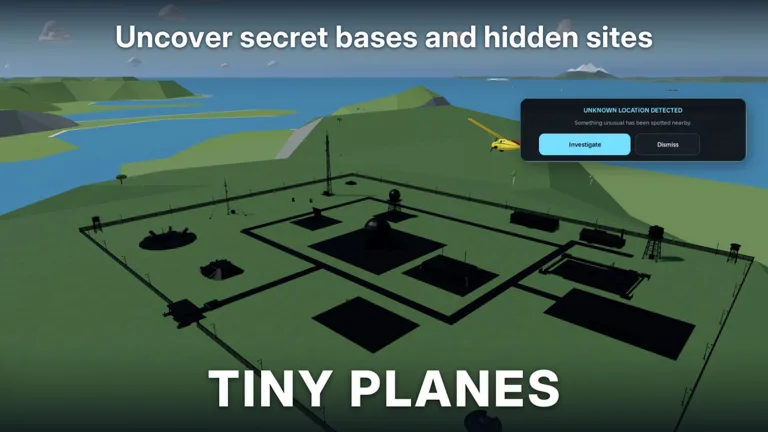
Your airfield is the engine of everything in Tiny Planes. Every plane you buy launches from it, every pilot needs a runway to take off from, and every cash payout funds the next upgrade. This Tiny Planes airports guide walks you through laying out your first strip, choosing which facilities to build, and keeping your fleet flying so the money never stops.
The core loop is simple. You build an airfield on your own island, buy aircraft, hire pilots, and send planes out on jobs and routes across four islands. Payouts go back into more runways, more stands, more planes, and bigger buildings. XeroInteractive's Tiny Planes experience on Roblox offers more than 150 real aircraft to grow into.
Building Your First Airfield
The tutorial handles your first layout, and yellow markers show exactly where each piece goes. Follow it in order:
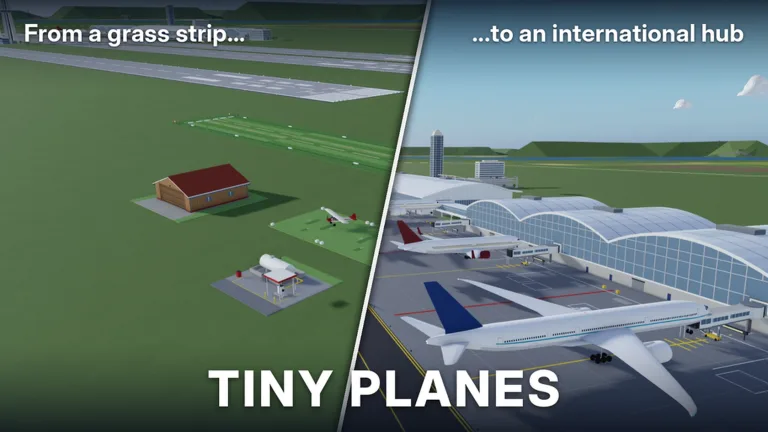 Image: Roblox / XeroInteractive
- Lay the runway. Place it where the yellow sign points.
- Add grass and a grass taxiway to connect the runway to your parking area.
- Place a tie-down stand.
- Open the Shop and claim the free starter plane (a small Cessna-type aircraft).
- Recruit a pilot and assign them to the plane.
- Dispatch and fly. Your first flight ends with a target landing zone at another airfield.
Check that each stand faces the right way before you place it. Turn it around if it points away from your taxiway. Once the tutorial ends, open the Build menu and add a second taxiway and stand right away. The Shop restocks with new aircraft every 15 minutes, so have space ready when a good one shows up.
Facilities Worth Building
Once you have some cash, the Build menu opens up far beyond a single strip. These are the pieces that turn a grass field into a real airport:
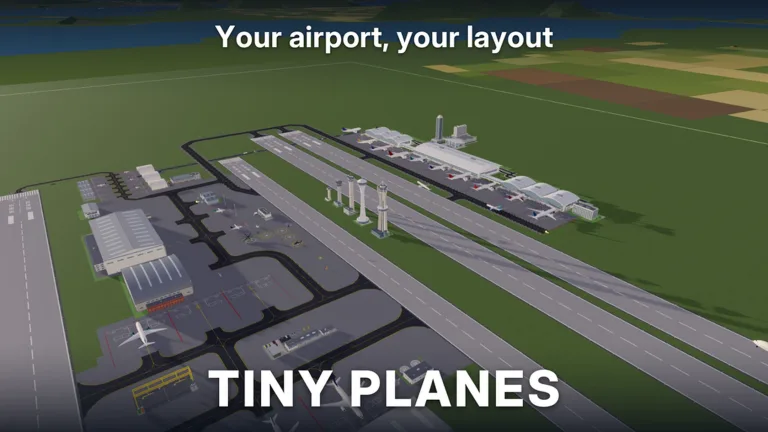 Image: Roblox / XeroInteractive
- Second runway: Double strips give your layout room to grow. Space them apart instead of stacking them side by side if you want a realistic look.
- Concrete flooring: Pave the area where your buildings will sit.
- Terminal: The centerpiece of a passenger airport.
- Cafe: A small add-on that fits neatly beside the terminal.
- Fuel station: Keep it close to your other buildings.
- Hangar: Fits well on the edge of the field, out of the way of taxi traffic.
- Cargo shed: Rounds out the support buildings.
- Windsock and air traffic control tower: The tower actually works in-game.
- Surface car parking: Useful, but easy to make messy. Plan the spot before you place it.
Don't stress about getting placement perfect. Use the Move option in Build mode to slide buildings around, and sell anything that doesn't look right. You can also expand your land when your plot gets crowded, so leave space where you plan your terminal area.
The Build Mode Rework
The latest major airport update is the Building Rework, announced as an event running November 11 to November 28, 2026. The game now carries the BUILD UPDATE tag, and its drawing-based Build mode replaces the old piece-by-piece system:
| Feature | What It Changes |
|---|---|
| Drawn taxiways, roads and paths | Click and drag with smooth curves at any angle. Junctions, crossings and runway entries connect automatically |
| Runways | Any length, any angle, and they can cross each other |
| Stretchy floors | Aprons and surfaces are single pieces you drag across the whole field |
| Terminals | Piers and concourses snap together, with gates on both sides and self-fitting jet bridges |
| Traffic control | One-way taxiways, runway roles and hold points |
| Editing tools | Select mode with copy and paste, undo, a snap toggle, road-free buildings, and save slots for different layouts |
You can also build custom structures such as hangars, towers and lights by resizing, rotating and painting parts. Everything you built before the rework stays exactly as it is, so you won't lose your current airport.
Use the save slots to try a new layout without wrecking the one that's earning you money. Set up one-way taxiways and hold points before your fleet grows large, so planes don't jam up between the stands and the runway.
Keeping Your Fleet Flying
A pretty airport earns nothing if your planes sit on their stands. Keep this routine going:
- Dispatch before you build. Send every plane out first, then work on your layout while they fly.
- Compare payouts before you dispatch. Each route shows what it pays. Far routes take a while: one long flight can run 1 hour and 16 minutes.
- Every plane needs a pilot. Use Pilot Recruitment with cash or Recruitment Tokens, or train pilots through pilot school. Recruits come in rarities like common and rare.
- Turn on repeat routes so planes head back out without you re-dispatching them.
- Track flights from the Fleet menu to watch takeoffs and landings, and to check passenger count and conditions.
- Collect finished contracts whenever you check back in.
Early on, your airport supports two simultaneous flights and one stop per route. Hitting objectives such as "fly to three different airports" and "reach airport level three" pushes your progression forward. Bigger aircraft also have requirements. Regional jets like the Embraer need a higher player level and airport level, so keep leveling the airfield, not just the fleet.
Since the Extreme Weather update (November 7, 2026), disasters like tornadoes, earthquakes, wildfires and hurricanes hit the islands. Emergency jobs pay big and feed four new careers: Firefighting, Search & Rescue, Evacuation & Relief, and Storm Chasing & Recon.
Flying Into Other Airports
You can fly any plane yourself between airfields. Press T for autopilot and pick a destination field. The plane handles the turns and descent for you, which saves you from restarting after a botched landing. For manual flying, use these controls:
| Key | Action |
|---|---|
| Shift / Ctrl | Throttle up / down |
| W / S | Nose up / down |
| A / D | Roll left / right |
| Space | Brakes |
| L | Landing gear |
| T | Autopilot |
| M | Map |
| V | Camera |
| C | Controls list |
| H | Hide UI |
In multiplayer, up to 5 players share a server, and each player runs their own island. You can fly to friends' airports, use them as landing sites, and team up on rescues.
Codes and Passes That Speed Up Building
Cash is what pays for new airports, extra plane slots and fleet upgrades. To redeem codes, click the Star icon at the top of the screen, type the code into the Enter a code box, and hit Redeem. Codes are case sensitive.
| Code | Reward |
|---|---|
| N0TS0T1NYPLANE3 | 5,000,000 Cash, 5 Livery Cases, 5 Drone Cases, 5 Shop Restock Tokens, 5 Recruitment Tokens, Legendary Pilot |
| T1NYPL4N3S300K | 300,000 Cash, 1 Drone Case, Legendary Pilot |
| TINYBUILD3RS | 60K Cash |
| 1KLIKES | Cash (scales with your level), 1 Livery Case, 2 Drone Cases, 4 Recruitment Tokens, 1 Legendary Pilot |
Redeem N0TS0T1NYPLANE3 right after the tutorial to bankroll your first big build-out. Grab your daily reward and playtime reward each session too.
If you build a lot, a few Robux passes affect your airport directly:
- Freebuild (99 Robux): No grid and no collisions for buildings. Runways, taxiways and stands still collide so aircraft don't crash into each other.
- Creative Bundle (199 Robux): Freebuild plus Colour Wheel and Paint Finishes.
- Infinite simultaneous flights (1000 Robux): Removes the cap on how many flights you can run at once.
Continue with
 Tiny Planes Custom Hangars: Build Guide and Placement TipsSee how Tiny Planes custom hangars work after the Build Update: resize, rotate and paint parts, plan your airfield layout, and fund it with cash codes.
More in Airports
Tiny Planes Airport Designs: Build a Smarter Airfield
Plan better Tiny Planes airport designs with layout tips for runways, terminals, hangars and fuel stations, plus build tools, Freebuild and codes for cash.
Tiny Planes Runways: How to Build and Lay Out Your Airfield
Learn how Tiny Planes runways work after the Build Update: draw them at any angle, set runway roles and hold points, and lay out a busier airfield fast.
Tiny Planes Taxiways Guide: Build Curved Routes That Flow
Learn how Tiny Planes taxiways work after the Build Update: draw curved paths, set one-way routes and hold points, and keep your airport traffic moving.
Tiny Planes Terminals: Build Update Gates, Piers & Tips
Tiny Planes terminals got a major boost in the Build Update. Learn how piers, gates and jet bridges work, plus what to build around your new terminal.
Continue exploring
Tiny Planes Controls: Every Key, Autopilot & Flying Tips
Learn the Tiny Planes controls for Roblox: throttle, pitch, roll, brakes, autopilot and map keys, plus dispatch and build mode tips to land every flight.
Tiny Planes Levels Guide: How to Level Your Airport Fast
Tiny Planes levels explained: which aircraft wait at airport levels 7 and 9, early goals, codes, autopilot tips and passes that help grow your airfield.
Join the community
Official channels for news, updates and player help: